Scyn vs Scrivener: Visual Plot Map or Writing App?
Compare Scyn and Scrivener for plotting: Scrivener handles drafting and manuscript organization, while Scyn maps cause and effect between scenes.
By Elias Ward
Founding writer at Scyn

The short answer
Choose Scrivener when you need one app for drafting, research, and manuscript export. Choose Scyn when you already have a writing app and need a visual plot map that shows cause and effect between scenes. Many writers use both: Scrivener holds the manuscript, Scyn tests the structure. Scrivener is a desktop writing environment: you draft scenes, keep research beside the manuscript, rearrange chapters in a Binder or Corkboard, and compile to Word, PDF, ePub, or Final Draft. Scyn does none of that. It is a browser plot map. Each scene is a node with a title, description, chapter or act tag, and colour. You connect nodes with directional links that can carry a free-text label. Sign in on Free and the map saves to your account: one novel, up to 100 scenes. Pro adds unlimited projects, Story Mode, Cast & Places, unlisted sharing with up to five collaborators, and PDF and DOCX exports.
Scrivener has been the default writing app for novelists, screenwriters, and academics since 2007. It has millions of downloads, a loyal user base, and a reputation as the most serious long-form writing tool on the market. Its official store page is still the clearest source for current licensing and trial details. If you have written or attempted a novel in the last fifteen years, someone has probably told you to use Scrivener.
Scyn is not a writing app. It does not have a text editor, a manuscript view, or a compile button. It does one thing: let you map your story's structure as a network of connected events. Whether that matters to you depends on what part of the writing process you are trying to solve.
 This is Scyn's actual canvas: scenes sit as nodes, and directional links show cause and effect.
This is not really a head-to-head comparison. Scrivener and Scyn occupy different parts of the writing workflow. The relevant question is whether Scrivener's built-in outlining tools are enough for your plotting needs, or whether a dedicated plotting tool fills a gap that Scrivener leaves open.
We built Scyn, so factor that into how you read what follows.
| Capability | Scyn | Scrivener |
|---|---|---|
| Visual causal plot map | Yes: nodes and directional links with optional free-text labels | No: Binder, Corkboard, and Outliner organise a manuscript hierarchy |
| Drafting and manuscript editing | No text editor | Yes: full editor, composition mode, and compile to Word, PDF, ePub, Kindle, or Final Draft |
| Templates | 11 visual story-structure templates | Project and section templates such as character or location sheets |
| Platforms | Web browser | macOS, Windows, and iOS (licences sold separately) |
| Offline use | No | Yes: desktop app |
| Free tier | One novel, up to 100 scenes, saved to your account | 30-day trial of the full desktop app (not iOS) |
| Tier | Price | Source |
|---|---|---|
| Scyn Free | One novel, up to 100 scenes | Scyn pricing |
| Scyn Pro Monthly | $6.99/month | Scyn pricing |
| Scyn Pro Yearly | $70/year | Scyn pricing |
| Scrivener Standard (macOS) | US$59.99 one-time | Literature & Latte store |
| Scrivener Standard (Windows) | US$59.99 one-time | Literature & Latte store |
| Scrivener Educational (macOS or Windows) | US$50.99 one-time | Literature & Latte store |
| Scrivener macOS + Windows bundle | US$95.98 one-time | Literature & Latte store |
| Scrivener for iOS & iPadOS | US$23.99 (App Store) | Literature & Latte store |
| Scrivener desktop trial | 30 days of use, full feature set | Scrivener download |
How this comparison was made
Pricing checked: August 2026 against the official pricing/store pages linked in each section. Prices change; treat the figures as a dated check, not a live feed.
What this comparison is based on:
- First-hand use of Scyn, which we build, including its causal canvas, templates, exports, and collaboration flow.
- Official documentation, pricing pages, and public product materials for Scrivener. These sources support the plan limits, exports, and compile options cited below.
- No exhaustive hands-on Scrivener re-testing for this update. We did not repurchase and rerun every paid module, mobile build, or export path.
What Scrivener actually is
Scrivener is a complete writing environment. You can draft, revise, research, organize, and export an entire manuscript without leaving the app. It was designed around a ring-binder metaphor: your project is a collection of documents (scenes, chapters, notes, research) that you can view and rearrange in different ways. The Binder is a hierarchical file tree. The Corkboard shows virtual index cards tied to those documents, so moving a card moves the scene. The Outliner is a spreadsheet of the same tree, with synopsis, word count, status, labels, and custom fields. Collections pull documents by metadata rather than Binder position. You write in a familiar editor, split the screen against research, set word targets, take snapshots before a rewrite, and compile to Word, PDF, ePub, Kindle, or Final Draft. That is the product: one licensed desktop app that carries a manuscript from first note to export. It is not a visual causal plot map.
The core features that matter for plotting:
The Binder. A hierarchical file tree on the left side of the screen. Every piece of your project lives here: chapters, scenes, character notes, research documents. You drag items up and down to reorder them, nest scenes inside chapters, and build your manuscript structure through folders and sub-folders.
The Corkboard. Virtual index cards, each attached to a document in your Binder. You write a synopsis on the card and rearrange cards to restructure your manuscript. Moving a card moves the underlying document. This is Scrivener's most visual planning tool.
The Outliner. A spreadsheet-style view of your manuscript. Each row is a document. Columns show metadata: synopsis, word count, status, labels, keywords, and custom fields you define. You can sort, filter, and scan your entire project at a glance.
Collections. Smart lists that pull together documents matching certain criteria. All scenes from a specific POV character. All chapters marked "needs revision." All flashback scenes. These let you slice your manuscript by metadata rather than by position in the Binder.
These are serious organizing tools. For many writers, they are enough.
Where Scrivener's outlining tools stop
Scrivener's planning tools all share a structural assumption: your story is a hierarchy. Chapters contain scenes. Parts contain chapters. The Binder is a tree. The Corkboard displays one level of that tree at a time. The Outliner is a flat list of that tree's contents. That model answers what comes in what order and how the manuscript is organized. It is less equipped to answer why a scene exists, or what would break if you removed it. The Corkboard shows cards. It does not draw a line from one card to another. You can read Scene 7's synopsis. You cannot see on the board that Scene 7 depends on a decision in Scene 3 and sets up the reversal in Scene 15. Those causal links stay in your head or in notes. This is not a missing checkbox. The product is a writing environment, not a visual causal plot map.
This means Scrivener is excellent at answering: what comes in what order, and how is the manuscript organized?
It is less equipped to answer: why does this scene exist, and what would break if I removed it?
The Corkboard shows you cards. It does not show you the connections between them. You can see that Scene 7 exists and read its synopsis. You cannot see that Scene 7 depends on a decision made in Scene 3 and sets up the reversal in Scene 15. Those causal links live in your head, or in notes you write to yourself, but they are not part of the structure Scrivener makes visible.
The Outliner shows you metadata about each document. It does not show you the relationships between documents. You can tag a scene with a label and a status and a keyword. You cannot draw a line between two scenes and say "this one causes that one."
For plotters who think about story as a sequence of events, this may never feel like a limitation. You know the order. You know the beats. The Binder holds it all. Done.
For plotters who think about story as a web of cause and effect, where pulling one thread might unravel three others, Scrivener's tools leave the most important structural information invisible.
What Scyn does differently
Scyn approaches story structure as a graph, not a tree. You place story events as nodes on a canvas and draw directional edges between them to show cause and effect. Event A leads to Event B. Events B and C together set up Event D. Each node holds a title, a description, a chapter or act tag, and a colour. Each link is directional and can carry an optional free-text label. There are no typed link categories and no named arcs. The result is a map you can walk from the inciting incident to the climax, checking whether every link actually holds. A node with no outgoing connection is a setup that never pays off. A node with no incoming connection arrives from nowhere. Both sit on the canvas where you can see them. Scyn does only this. There is no text editor, no manuscript management, no compile step, and no research folder.
You place story events as nodes on a canvas. You draw directional edges between them to represent causal relationships. Event A causes Event B. Event B and Event C together set up Event D. The result is a map where you can trace the chain of causation from your inciting incident to your climax and see whether every link in that chain actually holds.
If you want a starting structure instead of a blank canvas, browse the free interactive template library: each template is a map of beats you fill and connect.
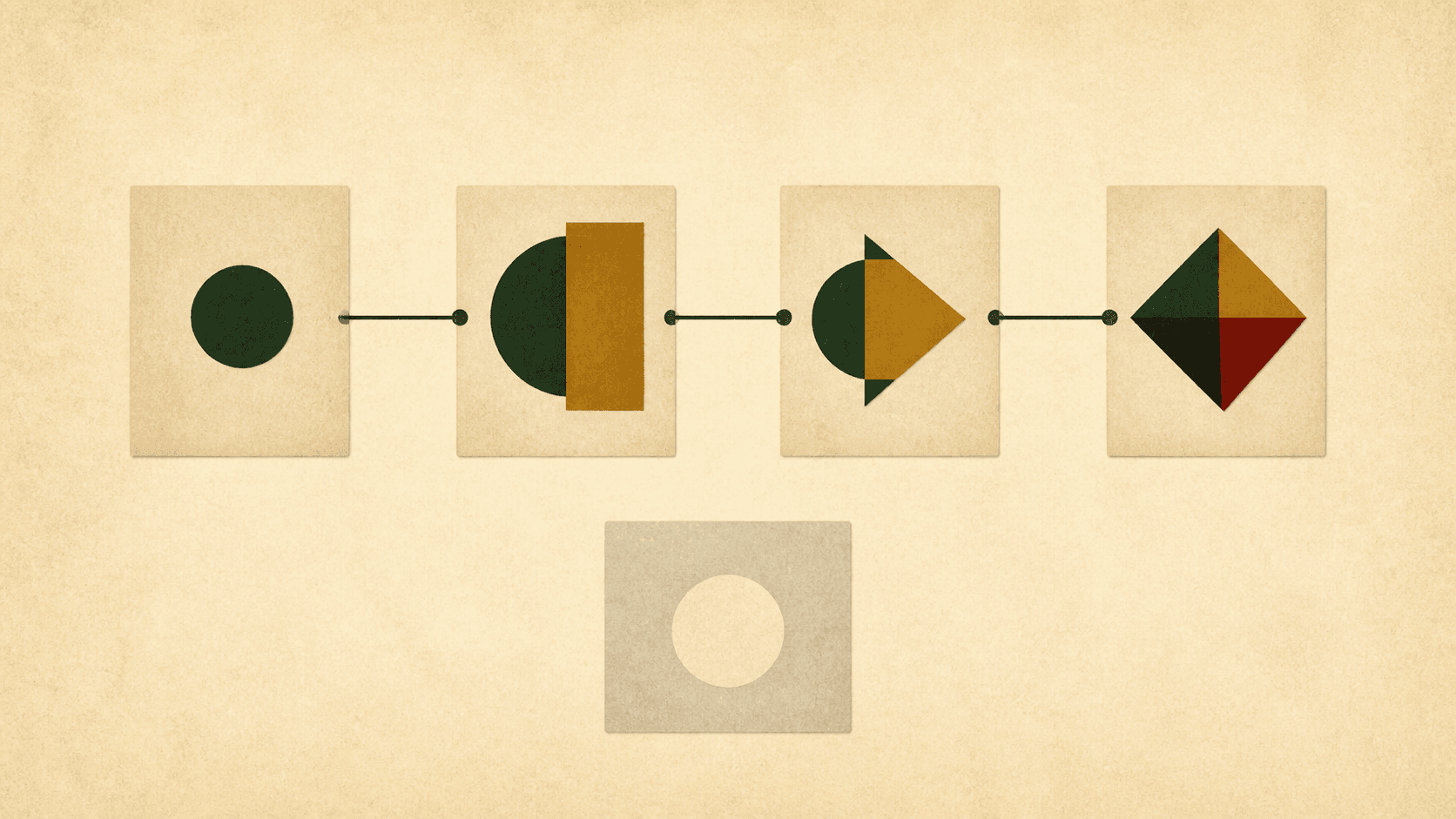 The connected sequence shows which events develop from earlier ones. The pale isolated card is a dangling plot thread, made visible by the structure itself.
This is the only thing Scyn does. There is no text editor. No manuscript management. No compile step. No research folder. We plan in Scyn and draft elsewhere. On the map we look for setups with no outgoing link. When a chain breaks, we fix the links on the canvas before we touch the manuscript.
The trade-off is that Scyn's one feature goes deeper than any writing app's outlining sidebar can. When cause and effect are first-class objects we can see and move, certain structural problems become impossible to miss:
Dangling plot threads. When we look at a map, a node with no outgoing connections is a setup we never paid off. A node with no incoming connections is an event that comes from nowhere. Both show up on the canvas without us hunting through synopses.
Fragile plot points. If one node has eight edges flowing through it, your entire story depends on that single event. You can see the bottleneck and decide whether to reinforce it or distribute the load.
Disconnected subplots. A cluster of nodes with no connections to the main storyline is a subplot that has nothing to do with the rest of the book. On a canvas, it literally floats apart.
What Scrivener does that Scyn never will
Scyn does not replace Scrivener. It could not even if it tried. They do different jobs. Scrivener is where you write the words: rich text, full-screen composition, page view, word targets, writing history, and a compile step that produces Word, PDF, ePub, Kindle, or Final Draft. It imports images, PDFs, web pages, and audio into the project and opens them beside the draft. It tracks labels, statuses, keywords, custom fields, and Collections so you can slice a manuscript by metadata. It formats screenplays, stage plays, and comics. It runs offline on a plane. It takes snapshots of a document before a rewrite and lets you compare versions. Scyn has none of that. It stores nodes and the directional links between them. Its exports are snapshots of a plot map, not a publishable manuscript. It is a web app: no connection, no Scyn. Calling one a replacement for the other mistakes the jobs.
Drafting. Scrivener is where you write the actual words. Rich text editing, full-screen composition mode, page view, word count targets, writing history. Scyn has no text editor.
Research management. Scrivener lets you import images, PDFs, web pages, audio files, and any other reference material directly into your project. You can open research documents alongside your manuscript in a split view. Scyn stores story events and the connections between them. Nothing else.
Compile and export. Scrivener turns your manuscript into a finished document: Word, PDF, ePub, Kindle, Final Draft. You can write in your preferred font and format, then compile to submission guidelines or self-publishing specs. Scyn exports to PNG and PDF, which are snapshots of your plot map, not publishable manuscripts.
Metadata and organization. Labels, statuses, keywords, custom fields, Collections, smart search. Scrivener's organizational depth runs deep. You can slice your manuscript a dozen different ways. Scyn has nodes and edges. The organizational model is spatial, not metadata-driven.
Screenwriting. Scrivener includes script formatting for screenplays, stage plays, and comics. Scyn has no genre-specific features.
Offline access. Scrivener is a desktop app. It works on a plane, in a cabin, anywhere without internet. Scyn is a web app. No connection, no Scyn.
Snapshots. Scrivener lets you take a snapshot of any document before revising it, with a compare tool to see what changed. Version control built into the writing process.
What Scyn offers that Scrivener does not
Cause-and-effect visualization. This is the core difference, and it is a difference in model rather than a missing feature. In Scyn the relationship between two story events is an object you can see and edit: you draw a directional link from the scene that causes something to the scene that pays it off, and you label that link in plain language when the connection needs explaining. The chain is part of the structure, not a note about the structure. Scrivener holds the same information implicitly, spread across synopsis cards, keywords, and whatever you still remember about why chapter nine matters. That works while the book is small. It stops working when a subplot moves and you need to know which four scenes just lost their setup. Scyn answers that question by making the links visible, so a broken chain looks broken instead of reading fine.
Permanent Free plan with a clear cap. Scyn Free has no expiration and includes one novel with up to 100 scenes, 200 links, account saving, five snapshots, and PNG export. Scene 101 requires Pro; eligible writers can start a one-time 14-day trial. Scrivener offers a 30-day free trial, after which the Standard desktop licence is US$59.99 (macOS or Windows, sold separately). The iOS app is an additional US$23.99.
Browser-first access. Scyn's browser-based plot map runs in any modern browser. Laptop, tablet, Chromebook, a borrowed computer at a library. Scrivener requires installing a desktop application, and the Mac and Windows versions are separate purchases. The iOS app exists but has a reduced feature set and syncs via Dropbox.
Shareable maps. On Pro, Scyn lets you generate an unlisted share link to your plot map. Send it to a critique partner, a developmental editor, or a writing group. They can explore the structure interactively without creating an account. Scrivener projects are local files. Sharing means exporting a document or sending the project file itself.
Price for ongoing use. Scyn Pro is $6.99 per month or $70 per year for unlimited synced projects, unlisted sharing, and collaboration. See Scyn pricing. Scrivener is a one-time purchase of US$59.99 per desktop platform, or US$95.98 for the macOS and Windows bundle. If you only use one platform, Scrivener is cheaper in the long run. If you use Mac and Windows, the bundle raises the cost. But the tools do different things, so the price comparison only tells part of the story.
The real question: is Scrivener enough for plotting?
For many writers, yes. If your plotting process is listing scenes, writing a synopsis for each, rearranging until the flow feels right, and then drafting, Scrivener's Binder, Corkboard, and Outliner handle that workflow in the same place you write. You do not need another tool. The planning and the writing stay together, and that integration is the point of a writing environment. If your process looks different, the answer is no. You map how events cause and depend on each other, look for gaps and setups that never pay off, and rearrange from what the causal structure shows before you draft. Scrivener's tools do not show that information. The Corkboard shows cards but not connections. The Outliner shows metadata but not causation. The Binder shows hierarchy but not dependency. That second process is what Scyn is for: nodes, directional links with optional free-text labels, and a map you inspect before you type the manuscript.
- List your scenes or chapters in order.
- Write a synopsis for each one.
- Rearrange until the flow feels right.
- Start drafting.
Then Scrivener's Binder, Corkboard, and Outliner handle that workflow elegantly. You do not need another tool. The planning and the writing happen in the same place. That integration matters.
If your plotting process looks more like:
- Identify key events without worrying about order.
- Map how those events cause and depend on each other.
- Look for structural gaps, missing connections, setups that never pay off.
- Rearrange based on what the causal structure reveals.
- Then move to a writing app and draft.
Then Scrivener's tools do not show you the information that matters most to you. The Corkboard shows cards but not connections. The Outliner shows metadata but not causation. The Binder shows hierarchy but not dependency.
That second process is what Scyn was built for.
Using them together
Scrivener and Scyn are not competing for the same slot in your workflow. One is a writing environment. The other is a structural visualization tool. Many writers will benefit from using both. A practical split: use Scyn while the story is still a set of events. Place each scene as a node, draw the directional links, and read the map for setups that never pay off, events that arrive from nowhere, and clusters that never touch the main line. When the map holds, move to Scrivener. Build the Binder from what the map showed. Draft in the editor. Use the Corkboard and Outliner to manage the manuscript as the word count grows. If you hit a structural problem mid-draft, the kind where an Act Two thread never reaches the climax, go back to the map. Restructure there, where the connections are visible. Then return to Scrivener and change the documents.
A practical workflow we use: we plan in Scyn first. We place each event as a node, draw the directional links, and walk the map until the chain holds. Once we trust the map, we move to Scrivener, build the Binder from what the map showed, and draft there. We use Scrivener's Corkboard and Outliner to manage the manuscript as we write.
If we hit a structural problem mid-draft, the kind where an Act Two subplot never actually connects to the climax, we go back to the map. We restructure there, where the connections are visible, then return to Scrivener and make the same change in the manuscript.
The tools have different strengths because they answer different questions. Scrivener asks: how is this manuscript organized and how do I get it written? Scyn asks: does this story's structure actually hold together?
The honest summary
Scrivener is the more complete product by almost any measure. It has been refined for nearly twenty years. It handles the full lifecycle of a writing project, from first idea through final export. Its outlining tools are more sophisticated than what most word processors offer, and they are deeply integrated with the drafting process. If you want one licensed app that drafts, stores research, and compiles a manuscript, it is the serious default, and the store still sells it as a one-time licence per platform rather than a writing subscription. Scyn does less. Considerably less. It will not draft a chapter, hold a research PDF, or compile a submission file. The one thing it does is make causal structure visible and editable: nodes, directional links, optional labels. That is something Scrivener was not designed to do. Whether the gap matters depends on how you think about story. Try both. The questions they answer are not the same.
Scyn does less. Considerably less. But the one thing it does, making causal structure visible and editable, is something Scrivener was not designed to do. Whether that gap matters depends on how you think about story.
If you have ever stared at Scrivener's Corkboard and wished you could draw lines between the cards to show which scenes depend on which, Scyn exists because of that exact wish.
Scrivener has a 30-day free trial. Scyn's Free plan gives you one novel with up to 100 scenes and no time limit. Try both and see which questions they help you answer.
Related comparisons
- Scyn vs Plottr
- Scyn vs Dabble
- Scyn vs Campfire
- Best Story Planning Software in 2026: 5 Tools Compared