Best Story Planning Software 2026 (Free & Paid)
Compare five story planning and novel plotting tools—Plottr, Scrivener, Campfire, Dabble and Scyn—with methodology and August 2026 pricing checks.
By Elias Ward
Founding writer at Scyn

Key takeaways
- No single tool does everything well; the five tools compared here have genuinely different philosophies about what story planning means.
- Plottr is strongest for template-driven, timeline-based outlining; Scrivener covers the full writing lifecycle; Campfire excels at deep worldbuilding; Dabble offers the smoothest cloud-based drafting and planning combo; Scyn is the only tool that maps cause-and-effect relationships.
- Many working writers use two tools together, one for structural planning and one for drafting, rather than forcing one tool to do everything.
- Scyn offers one novel with up to 100 scenes on a permanent Free plan; Campfire has limited free modules; the others require payment within 14-30 days.
Looking for the best story planning software in 2026? This guide also covers story plotting software and novel plotting software by the planning problem each tool actually solves: timelines, drafting, worldbuilding, plot grids, and cause-and-effect plot maps. If you call the category plot planning software, the same distinction applies: the best tool depends on whether you plan through chronology, prose, reference material, or causal structure.
Most "best writing software" roundups are press releases in disguise. Same five tools listed in a different order, same feature bullets copied from marketing pages, same conclusion: "it depends on your needs!" Cool. Thanks for nothing.
We wanted something more useful. We evaluated five tools writers actually use for planning in 2026: Plottr, Scrivener, Campfire, Dabble, and Scyn. The evaluation combines official feature and pricing documentation with close review of each product's planning approach. We built one of them, Scyn, a visual plot mapping tool, so factor that into everything you read here.
Two things upfront:
This is about planning, not drafting. We are comparing how each tool helps you figure out your story's structure before (or while) you write it. Some of these tools handle drafting too. We care about the planning side.
No tool is best for everyone. These five tools have genuinely different ideas about what story planning means. Some think it means timelines. Some think it means outlines. One thinks it means cause-and-effect maps. The differences are real, and they matter more than feature counts.

Decision table: which tool first?
| If you need... | Start with | Why |
|---|---|---|
| Template-driven timelines for novels or series | Plottr | Strongest dedicated timeline + template library |
| One app from outline to compiled manuscript | Scrivener | Deepest drafting/planning hybrid, one-time license |
| Lore, maps, and modular world bibles | Campfire | Purpose-built worldbuilding modules |
| Cloud drafting plus a simple plot grid | Dabble | Cleanest all-in-one cloud writing/plotting combo |
| Cause-and-effect map of scenes and payoffs | Scyn | Only tool here built around causal graphs |
How we evaluated (methodology)
Pricing checked: August 2026 against the official pricing/store pages linked in each section. Prices change; treat the figures as a dated check, not a live feed.
What "evaluated" means here:
- First-hand use of Scyn, which we build, including its causal canvas, templates, exports, and collaboration flow.
- Official documentation, pricing pages, and public product materials for Plottr, Scrivener, Campfire, and Dabble. These sources support the plan limits, exports, collaboration features, and template counts cited below.
- No claim of exhaustive hands-on competitor testing. We did not repurchase and rerun every paid module, mobile build, or export path for this update.
Scoring criteria (equal weight for recommendations):
- Structural clarity — how clearly the tool shows sequence, hierarchy, or cause and effect.
- Planning depth — templates, grids, character/world support useful during outlining.
- Drafting adjacency — whether you can write in the same tool or must pair another app.
- Cost to start — free tier, trial length, and cheapest paid path after the August 2026 check.
- Collaboration and portability — sync, sharing, offline, and export options relevant to planning handoff.
Why these five, not eight to ten: each represents a distinct planning philosophy writers already compare (timeline templates, full writing suite, modular worldbuilding, cloud draft+grid, causal graph). Padding with near-duplicates or generic note apps would dilute the decision table without changing the recommendation map. Head-to-head notes for Scyn versus individual tools live in the related comparisons linked at the end.
If Plottr is the tool you already have and you want replacements rather than a five-way ranking, the Plottr alternatives roundup treats Plottr as the comparison subject and adds Aeon Timeline, Bibisco, and Novelcrafter.
The short version
If you want the answer without the essay, match the tool to the planning job, not to a feature count. Plottr is the timeline-and-template pick for methodical plotters and series writers; the August 2026 check puts the base plan at $25/year. Scrivener is the one-app writing environment with a binder and corkboard, $49 one-time, and it will not draw cause between scenes. Campfire is the modular world bible for fantasy, sci-fi, and RPG lore, with a limited free account. Dabble is the cloud draft-plus-plot-grid option, from $10/month, smoother to live in than Scrivener and thinner as a dedicated plotter. Scyn is the cause-and-effect map: scenes as nodes, directional links between them, free for one novel up to 100 scenes. No tool here does all five jobs well. Many writers pair a planning layer with a drafting app. The table below is the same snapshot. Read the longer sections before you pay.
| Tool | Best for | Approach | Starting price (Aug 2026 check) |
|---|---|---|---|
| Plottr | Plotters who want templates and timeline views | Timeline grid | $25/year |
| Scrivener | Writers who want planning inside their writing app | Binder + Corkboard | $49 one-time |
| Campfire | Worldbuilders (fantasy, sci-fi, RPG) | Modular encyclopedias | Free (limited) |
| Dabble | Writers who want plotting and drafting in one cloud app | Plot grid + manuscript | $10/month |
| Scyn | Writers who think in cause and effect | Node-and-edge graph | Free, up to 100 scenes |
Now the longer version.
Plottr
Plottr is a timeline-based plotting tool with 40+ story structure templates. It is built for methodical plotters and series writers who work from frameworks. You run plotlines across chapters, drop scene cards where they cross, and read pacing the way you would read a color-coded grid. The August 2026 check on Plottr's pricing page puts the base plan at $25/year (or $65 lifetime) for one desktop device with no cloud. Pro is $75/year (or $175 lifetime) if you want sync, mobile, and collaboration. It will not show cause and effect between scenes. You can see that the betrayal sits in Chapter 12. You cannot trace a visible chain of why it had to happen. If your story refuses a chapter grid, the interface can feel stiff. If you live in Save the Cat or the Hero's Journey and want those beats on a timeline, this is the dedicated tool for that job.
Plottr is one of the most established dedicated plotting tools on the market. Its official pricing page currently advertises 40,000+ writers, 40+ templates, and desktop plus browser plans.
What it does. Plottr organizes your story as a timeline. You create horizontal plotlines (main plot, romance arc, subplot B) and vertical columns (chapters or sections). Where a plotline crosses a chapter, you place a scene card. The result looks like a color-coded spreadsheet, which sounds boring but is more useful than you would expect. You can see your entire story's pacing at a glance: where plots converge, where gaps exist, where one subplot dominates for too many chapters.
Templates are the main draw. Plottr ships with over 40 story structure templates: Save the Cat, Hero's Journey, Snowflake Method, Three-Act Structure, romance beats, mystery beats, and others. If you work from a framework, you can load a template and fill in your story rather than staring at a blank screen. Most other tools make you build your framework from scratch. This alone is reason enough for some writers to choose Plottr.
Character sheets and world building. Plottr has dedicated sections for character profiles and world-building notes. The character templates go deep: personality questionnaires, backstory prompts, relationship maps. For series writers, there is a series bible feature that tracks continuity across books.
The desktop app works offline. Plottr runs natively on Mac and Windows without an internet connection. The base plan is desktop-only. Cloud sync, mobile access, and collaboration require the Pro plan.
Pricing. The base plan is $25 per year (or $65 lifetime) for one device, no cloud. The Pro plan is $75 per year (or $175 lifetime) for cloud sync, mobile, and collaboration. These are reasonable prices, though the jump from base to Pro is steep if you just want to use it on two devices.
Where it falls short. Plottr shows you when things happen but not why they happen. The connections between scenes are implicit. You can see that the betrayal happens in Chapter 12, but you cannot trace backward through a visible chain to see what built to it. For writers who think in cause and effect, this is a real gap. The interface can also feel rigid if your story does not fit neatly into a chapter-by-chapter grid.
Plottr is good for: methodical plotters, series writers, anyone who works from structure templates, writers who want character and world-building tools bundled with their outliner.
Scrivener
Scrivener is a full writing environment with outlining features built in, not a dedicated plotter. The one-time store price is $49 for Mac or Windows, with a 30-day trial, and it covers the run from brainstorming to a compiled manuscript. You get a Binder tree, a Corkboard of index cards, and an Outliner of document metadata. You also draft, revise, and compile to Word, ePub, PDF, or Final Draft in the same app, which none of the other tools here fully match. The outlining model is hierarchical, not visual. You cannot draw a line between two cards and say this causes that. You can see that a scene exists and read its synopsis. You cannot see that it depends on a decision three chapters back. If you plot in your head and only need a place to arrange scenes, that is enough. If you need the tool to show structural breaks, Scrivener's planner runs shallower than the dedicated plotters.
Strictly speaking, Scrivener does not belong on this list. It is a writing environment, not a plotting tool. It has been the default long-form writing app since 2007, with millions of downloads, and its official store shows separate macOS, Windows, and iOS licensing plus a 30-day trial. But enough writers use its outlining features for story planning that leaving it off a comparison like this would be a lie of omission.
Here is what you get: a Binder (hierarchical file tree), a Corkboard (virtual index cards), and an Outliner (spreadsheet view of your manuscript's metadata). You organize your project as a tree. Parts contain chapters. Chapters contain scenes. You view any level of that tree as cards on the Corkboard, drag them around, reorder things.
But Scrivener also does something none of the other tools here do: it is where you actually write. Draft, revise, compile to Word or ePub or PDF or Final Draft. Import research. Set word count targets. Full-screen composition mode. If you want one app for the entire journey from brainstorming to published manuscript, Scrivener covers more ground than anything else on this list.
The price is right. $49 for a one-time purchase on Mac or Windows. $23.99 on iOS. No subscription. No annual renewal. You buy it and it works until you decide to upgrade to the next major version. In a market where nearly everything has moved to subscriptions, this is refreshing.
Where it falls short for planning. Scrivener's organizational model is a tree. Everything is hierarchical. This works for manuscript structure (parts > chapters > scenes) but limits what you can express about story structure. The Corkboard shows you cards but not the connections between them. You can see that a scene exists and read its synopsis. You cannot see that it depends on a decision made three chapters ago.
There is no way to draw a line between two index cards and say "this causes that." The Outliner shows metadata about documents, not the relationships between them. For writers who plot in their heads and just need somewhere to arrange scenes, this is fine. For writers who need the planning tool itself to reveal structural problems, Scrivener's outlining features run shallow compared to dedicated plotters.
Scrivener is good for: writers who want one app for everything, writers who draft and revise in the same tool they plan in, budget-conscious writers who prefer one-time purchases, academics and non-fiction writers (Scrivener handles research material particularly well).
Campfire
Campfire is a modular worldbuilding tool for fantasy and sci-fi writers. You buy or unlock only the modules you need (characters, magic systems, maps, timelines) instead of paying for a fixed bundle. It is strong on lore and world structure and thinner on scene-level plotting than Plottr or Dabble. The Character, World, Magic System, and Species modules give a 40-page world bible actual fields instead of a pile of Google Docs. The timeline is better for history-scale events than for chapter cards, and the maps let you pin places to a geography. Campfire's pricing page shows a free account, paid modules, and a subscription path. A la carte helps if you only need a few pieces and gets confusing if you do not. If your story is set in the real world, most modules will sit unused. If you track languages, kingdoms, and magic rules across a series, this is the tool built for that pile of notes.
If you have ever tried to keep track of three magic systems, two invented languages, a political map of fourteen kingdoms, and a species with four biological sexes, all in Google Docs, you already know why Campfire exists. It is the worldbuilder's tool. Sometimes listed as Campfire Blaze or Campfire Write depending on which version you find, the core idea is the same: give fantasy and sci-fi writers a structured place to put everything that does not fit in a manuscript outline.
Campfire is built around modules. Each module covers a different aspect of your project: characters, world, magic systems, species, religions, cultures, languages, timelines, maps. You buy or unlock the modules you need. Every other tool on this list gives you a fixed feature set. Campfire lets you assemble yours.
The Character module tracks appearance, personality, backstory, relationships, and arcs. The World module handles geography, political systems, and history. The Magic System module walks you through building internally consistent power systems with rules, costs, and limitations. The Species module covers biology, culture, and sociology. If you are the kind of writer who has a 40-page world bible in Google Docs, Campfire gives that information actual structure.
Timeline and maps. Campfire includes a visual timeline for plotting events across your story and your world's history. You can overlay character timelines, world events, and plot beats. It handles parallel storylines and multiple timelines. The interactive map feature lets you pin locations, characters, and events to a geography. For writers whose stories span continents, this is useful.
One caveat: the timeline is better for tracking world-history scope events ("what happened 200 years ago that explains the current conflict") than for scene-by-scene plotting. It is not as granular as Plottr's timeline for chapter-level planning.
Pricing. Campfire's pricing page shows a free account, paid modules, and a subscription path. The a la carte approach is nice if you only need a few features, but it can get confusing.
Where it falls short. Campfire is built for worldbuilders, and it shows. If your story is set in the real world, or a lightly modified version of it, most modules are irrelevant. The actual plotting features (scene-level outlining, story structure) are thinner than Plottr's or Dabble's. Scene-by-scene outlining is not Campfire's strength. The interface can also feel overwhelming if you activate too many modules at once. It is a tool that rewards focus.
Campfire is good for: fantasy and sci-fi writers, tabletop RPG designers, anyone building a world with complex internal rules, series writers tracking extensive lore across multiple books.
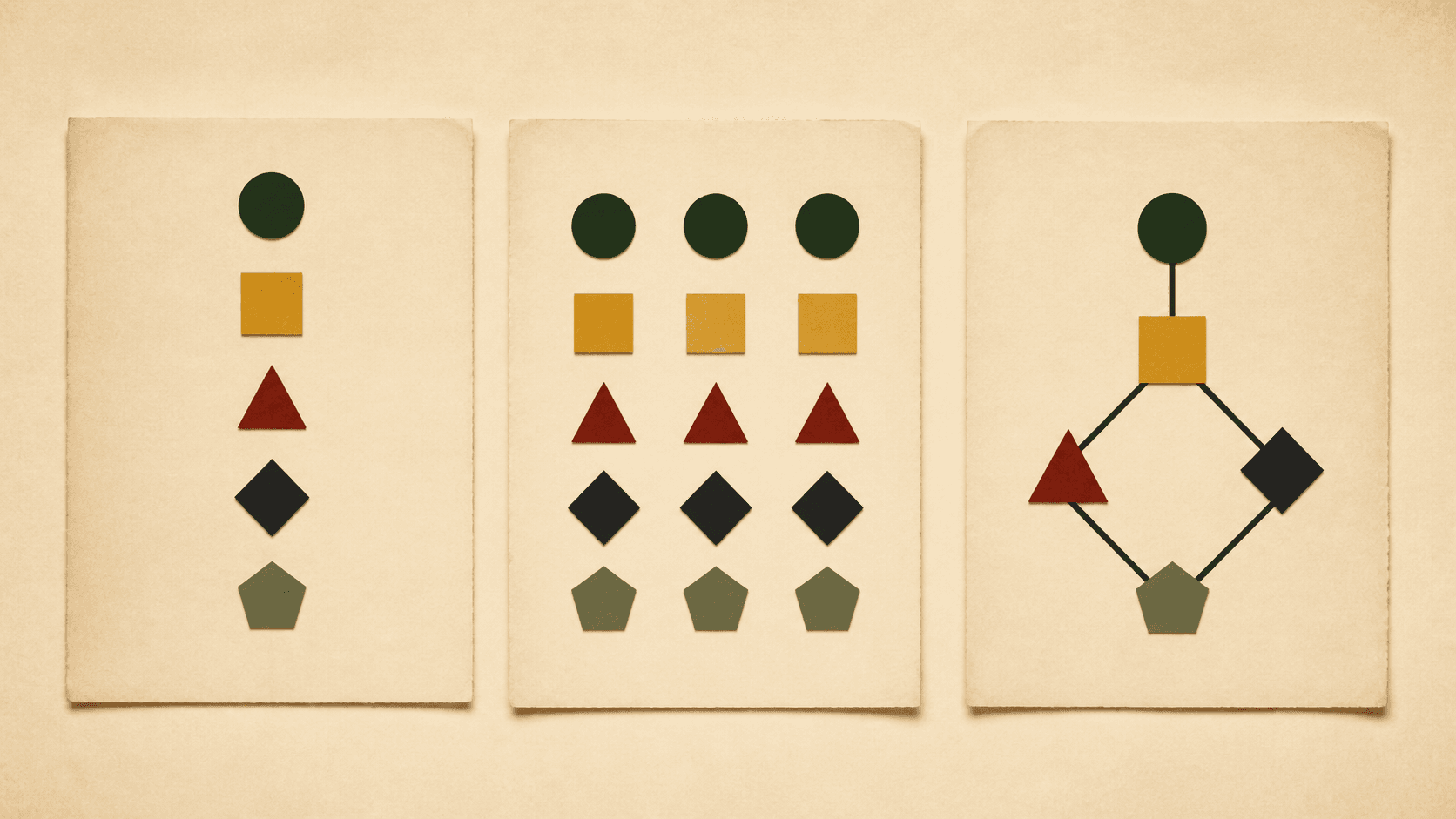 Different tools model story structure in fundamentally different ways: timeline grids, hierarchical outlines, and interconnected node graphs.
Dabble
Dabble is a cloud-first writing and plotting app with a clean interface, automatic sync, and built-in goal tracking. The Plot Grid handles basic outlining: plotlines on the left, scenes across the top, cards at the intersections, a simpler cousin of Plottr's timeline. You can draft in the same app, which is the point if you want Scrivener's ambition without a weekend of learning the UI. Sync is native, not a Dropbox bolt-on. Daily word targets and project deadlines are built in. Dabble's pricing page shows a 14-day free trial, paid plans for plotting and drafting, and a premium tier with collaboration. Over time the cost is $120/year, with no lifetime license, so a long stay gets expensive. The grid has fewer templates than Plottr and shows when things happen, not why. If you want one cloud app and a simple plot view, start here. If you need a deep plotter, the grid will feel thin.
Dabble is what you get if you take Scrivener's ambition (one app for planning and writing) and rebuild it for people who do not want to spend a weekend learning the interface. Cloud-first, clean design, less powerful but less intimidating.
The main planning feature is the Plot Grid: plotlines on the left, scenes across the top, cards at the intersections. It works like a simplified version of Plottr's timeline. You see your entire story's structure in a grid, click into any card to write notes or scene summaries, and get on with drafting in the same app.
Cloud-first. Everything syncs automatically. You can write on your laptop, check your outline on your phone, and pick up where you left off on a tablet. Scrivener offers sync through Dropbox, but it is finicky and well-documented as a source of lost work when it goes wrong. Dabble's sync just works because the app was built around it from the start.
Goal tracking. Dabble has built-in word count goals with progress tracking. Set a daily target, set a project deadline, and the app tells you how many words per day you need to stay on schedule. During NaNoWriMo season, this feature earns its keep.
Story notes. A dedicated section for research notes, character profiles, and world-building. Less structured than Plottr's character templates or Campfire's modules, but integrated into the same app where you draft. You can reference your notes while writing without switching windows or tools.
Pricing. Dabble's pricing page shows a 14-day free trial, paid plans for plotting and drafting, and a premium tier with collaboration and support. The subscription model still means you are paying forever, but the official pricing page makes the tiers easy to compare.
Where it falls short. The Plot Grid is useful but basic compared to Plottr's timeline. Fewer templates, less customization, no world-building modules. If you need deep plotting features, Dabble's grid might feel thin. The subscription model also means you are paying forever, and at $120 per year, it is the most expensive option on this list over time. And like most grid-based plotters, Dabble shows you sequence, not causation. You see when things happen. Not why.
Dabble is good for: writers who want plotting and drafting in one cloud app, writers who value clean design and seamless sync, NaNoWriMo participants who need goal tracking, writers migrating from Google Docs who want more structure without Scrivener's learning curve.
Scyn
Scyn is a visual plot mapping tool that shows cause and effect between story events. You place scenes as nodes (title, description, a chapter or act tag, a color) and draw directional links with an optional free-text label. Free includes one novel with up to 100 scenes, saved to your account. Pro is $70/year. The app includes 11 visual templates plus focused Story Mode and Cast & Places tools, but it is not a full writing or world-building suite. There is no offline mode and no deep lore system. A node with nothing coming out of it is a setup that never pays off. A cluster floating apart from the main map is a subplot that never touches the story. We built Scyn, so weigh this section accordingly. If you already think in "this happens because that happened," the canvas will feel natural. If you only think in chapter order, it can feel odd at first.
We built Scyn. Everything in this section comes with that caveat. We will describe what it does and where it falls short as honestly as we can, but you should weigh our claims about our own product differently than our claims about the others.
Scyn maps your story's structure as a graph. You place story events as nodes on a canvas and draw directional edges between them to show causal relationships. Event A causes Event B. Events B and C together set up Event D. The result is a visual map where you can trace chains of cause and effect from your inciting incident to your climax.
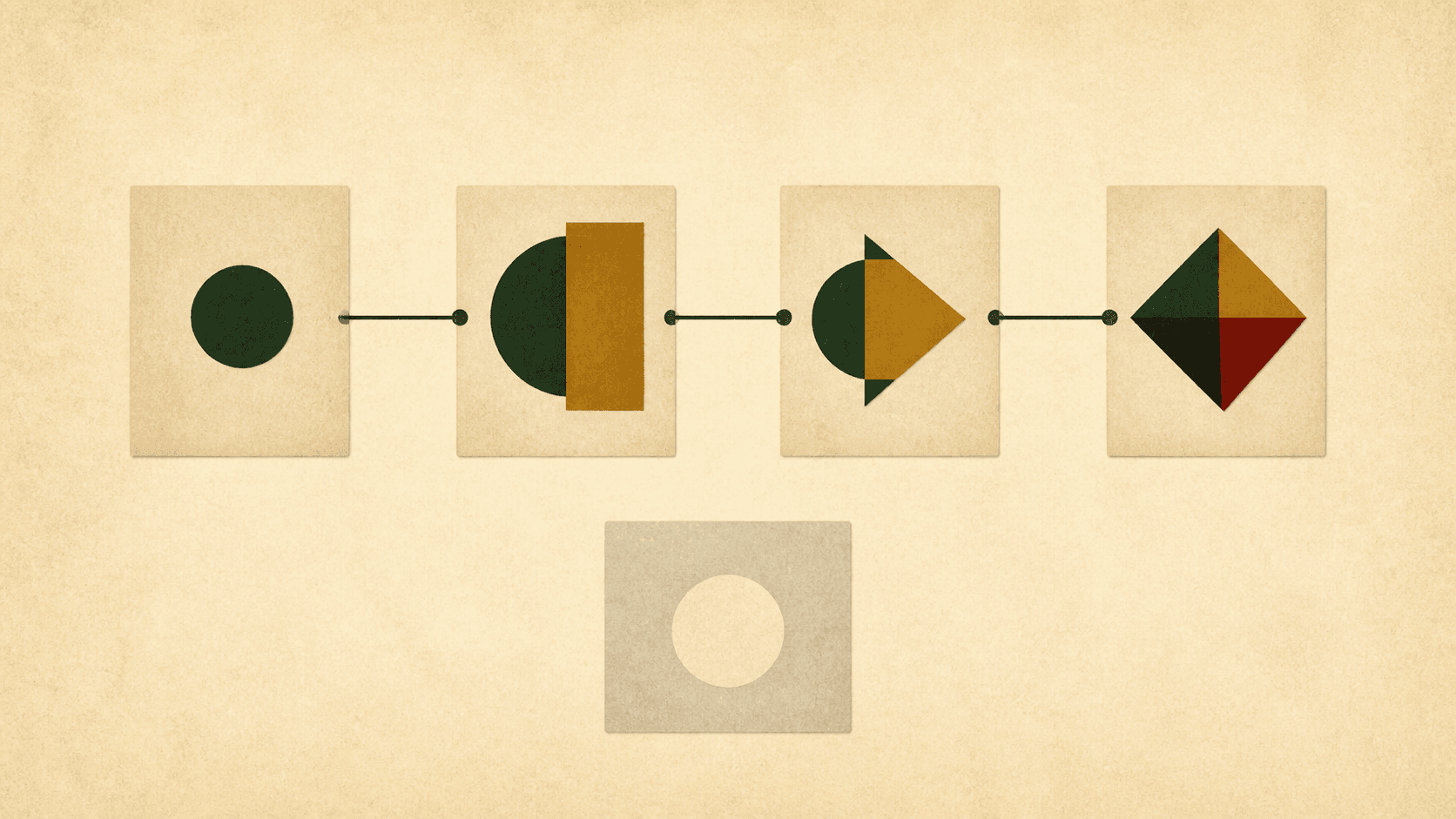 A connected sequence shows how events cause or enable one another. The pale isolated card is a dangling plot thread.
The idea behind it. Most plotting tools answer "what happens when?" Scyn tries to answer "what causes what, and where does the structure break?" A node with no outgoing connections is a setup that never pays off. A node with eight edges flowing through it is a single point of failure in your plot. A cluster of nodes floating apart from the main graph is a subplot that never connects to the central storyline. These structural problems show up visually on the canvas without you having to hunt for them.
Permanent Free plan, capped at 100 scenes. Free includes one novel with up to 100 scenes, 200 links, account saving, five snapshots, and PNG export. There is no time limit or credit card requirement. At scene 101, eligible writers can start a one-time 14-day Pro trial or upgrade.
Web-based and shareable. Scyn runs in the browser. On Pro, you can share your plot map with an unlisted link, so you can send your story structure to a writing partner or editor as an interactive map rather than a screenshot. Scyn Pro ($70 per year) also adds unlimited synced projects and up to five collaborators per project.
Where it falls short. Scyn stays deliberately focused. It has 11 visual templates, Cast & Places profiles, Story Mode, and map and manuscript exports, but it has no deep world-building system, full standalone writing environment, direct writing-app integration, or offline mode. If you want an all-in-one suite, Scyn is not it.
The graph-based approach also has a learning curve. If you think about your story sequentially (chapter 1, then chapter 2, then chapter 3), placing events as nodes and drawing edges between them can feel unnatural at first. It clicks for some writers immediately and never clicks for others. The only way to know is to try it.
Scyn is good for: writers who think about story as cause and effect rather than chronology, writers who want to see structural problems visually, writers on a budget (the free tier is genuinely usable), writing groups and collaborators who need to share and discuss story structure.
How do the features compare?
What each tool does and does not do, as of August 2026, follows from five different ideas of planning, not from a shared checklist that one product wins. Plottr is the timeline and the 40+ templates. Scrivener is the full manuscript editor with a binder and corkboard and no causal map. Campfire is the deep world modules with a thinner scene plotter. Dabble is the cloud draft plus a basic Plot Grid. Scyn is the node-and-link cause map, with 11 visual templates, Cast & Places, and Story Mode in support of that map, and without a world bible or a full writing desk. Cause-and-effect mapping appears in one column. Offline desktop work is Plottr, Scrivener, and Campfire; Dabble and Scyn run in the browser. Permanent free use is Scyn's 100-scene novel and Campfire's limited modules. Read the grid as tradeoffs. The notes under the table name the gaps a yes/no cell hides.
| Feature | Plottr | Scrivener | Campfire | Dabble | Scyn |
|---|---|---|---|---|---|
| Visual timeline | Yes | No | Yes | Yes (Plot Grid) | No |
| Cause-and-effect mapping | No | No | No | No | Yes |
| Story structure templates | 40+ | No | Some | Some | 11 visual templates |
| Character sheets | Yes | Basic (via documents) | Deep (modules) | Basic (Story Notes) | Focused Cast & Places profiles |
| World building | Yes | Via research folder | Deep (modules) | Basic (Story Notes) | No |
| Manuscript editor | No | Yes (full) | Yes (basic) | Yes (full) | Focused Story Mode (Pro) |
| Compile/export to manuscript | Scrivener/Word | Word, PDF, ePub, Kindle, Final Draft | Word, PDF | Word, PDF | PNG; PDF and DOCX on Pro |
| Offline mode | Yes (desktop) | Yes | Yes (desktop) | No | No |
| Cloud sync | Pro plan only | Via Dropbox | Yes | Yes | Signed-in users, with unlimited projects on Pro |
| Collaboration | Pro plan only | No | Limited | Premium plan | Pro plan (up to 5) |
| Shareable links | No | No | No | No | Yes |
| Free tier | No (30-day trial) | No (30-day trial) | Partial (limited modules) | No (14-day trial) | Permanent, capped at 100 scenes |
| Mobile app | Pro plan (iOS/Android) | iOS ($23.99) | No | Yes (included) | Web (works on mobile) |
A few things worth noticing.
No tool does everything. Scrivener is the strongest writing environment but has the weakest planning tools. Campfire has the deepest world building but the thinnest scene-level plotting. Plottr has the most templates but no manuscript editor. Dabble is the best all-rounder but does not excel at any one thing. Scyn stays the narrowest: its templates, Cast & Places profiles, and Story Mode support the causal map rather than becoming a full writing suite.
Cause-and-effect mapping only appears in one column. This is not because the other tools are bad at it. They do not attempt it. They have a different idea of what story planning means. Plottr, Dabble, and Campfire arrange events on timelines. Scrivener organizes documents in a hierarchy. Scyn maps causal relationships. These are different philosophies, not just different feature lists.
How does the pricing compare?
Figures below are the same August 2026 checks against linked official pricing pages used throughout this article. Confirm on the vendor site before buying. Scrivener is $49 once for Mac or Windows and stays the cheapest if you never pay for a major upgrade. Scyn costs nothing for one novel of up to 100 scenes; Pro is $70/year and there is no lifetime license. Plottr starts at $25/year for one desktop device, $75/year for cloud and mobile, or $65/$175 lifetime. Dabble is $10/month billed annually on the cheap seat and $15/month on the full one, with no lifetime option, so a long stay costs more. Campfire is a free sliver of modules, then about $5-15 per module or about $8/month for Pro. Trials run 30 days for Plottr and Scrivener and 14 days for Dabble. Use the table to compare cash, then decide if you need a timeline, a binder, a world bible, a cloud grid, or a causal map.
| Tool | Free option | Cheapest paid | Full-featured | One-time purchase? |
|---|---|---|---|---|
| Plottr | 30-day trial | $25/year (desktop only) | $75/year (cloud + mobile + collab) | Yes ($65 or $175 lifetime) |
| Scrivener | 30-day trial | $49 one-time (Mac or Windows) | Same ($49) | Yes |
| Campfire | Some free modules | ~$5-15 per module | ~$8/month (Pro, all modules) | Yes (individual modules) |
| Dabble | 14-day trial | $10/month (billed annually) | $15/month (billed annually) | No |
| Scyn | 1 novel, up to 100 scenes | $70/year (unlimited projects) | Same ($70/year) | No |
Scrivener is the cheapest over time if you need one purchase and never upgrade. Scyn costs nothing if one 100-scene map is enough; beyond that, Pro is $70/year. Plottr's lifetime licenses make sense if you plan to use it for three or more years. Dabble is the most expensive long-term because there is no lifetime option. Campfire's pricing is flexible but confusing to navigate.
Do you need a novel writing app or a plot planning layer?
Half the confusion in this category comes from comparing tools that do different jobs. A novel writing app is where you draft: Scrivener and Dabble are writing environments first, with planning features attached. A plot planning layer sits alongside whatever you draft in: Plottr and Scyn are not trying to be where you type the manuscript; they exist to answer structural questions before and during the draft. Campfire sits between the two, organising the reference material both activities draw on.
That distinction matters more than any feature checklist when you are deciding what to pay for:
- If you have no drafting tool yet, start free. Draft in Google Docs or Word, which you may already have, and test your structure with Scyn's first 100 scenes or Campfire's free modules.
- If you already draft happily somewhere, you do not need to switch novel writing software to get better planning. Add a planning layer instead: Plottr if you plan on timelines, Scyn if you plan by cause and effect.
- If you want one paid app for everything, Scrivener's $49 one-time price or Dabble's subscription buys the fewest moving parts, at the cost of the shallowest planning features on this list.
The trap to avoid is paying for a full writing suite before you know which planning model helps. Scyn's Free plan has no time limit and covers a complete 100-scene novel map; Pro is for writers running multiple projects.
Recommendations by writer type
These recommendations apply the five scoring criteria above. They are decision shortcuts, not universal rankings. If you outline from templates and want the whole book on a timeline, start with Plottr. If you want to plan, draft, and export in one app, use Scrivener on the desktop or Dabble in the cloud. If the world bible is as heavy as the manuscript, use Campfire. If you plan by what causes what, and you want breaks to show up on a map, use Scyn. If you will not pay yet, Scyn's free 100-scene novel and Campfire's free modules are the only lasting free seats; everyone else wants a card inside two to four weeks. Series continuity is a Plottr or Campfire problem. The next section spells each type out. If two lines both fit, that is common. Pair a planner with a drafting app rather than forcing one product to cover a job it was not built for.
Which tool fits which writer
The methodical plotter. You work from structure templates. You outline chapter by chapter. You like seeing your entire story on a timeline. Plottr was built for you.
The one-app writer. You want to plan, draft, and export from the same tool. You do not want to switch between apps. If you prefer desktop power, Scrivener. If you prefer cloud convenience, Dabble.
The worldbuilder. Your story has invented languages, magic systems, political hierarchies, and maps. Your world-building notes are as complex as your manuscript. Campfire gives you the most structured place to put all of it.
The structural thinker. You think about story as a web of cause and effect. You want to see whether your inciting incident actually connects to your climax through a visible chain. You want the tool itself to show you where your plot breaks. Scyn is the only tool that works this way.
The budget-conscious writer. You want to test your planning method without spending anything. Scyn gives you one novel with up to 100 scenes; Campfire has some free modules. Everyone else wants your credit card within two to four weeks.
The series writer. You are tracking continuity across multiple books. You need character bibles, world notes, and timeline tracking across a series. Plottr or Campfire will serve you best here.
What if two tools are the answer?
Most "best tool" articles assume you pick one. Plenty of writers do not. They use two tools: one for planning and one for writing. That is a valid approach and sometimes the best one. A novel writing app is where you draft. A plot planning layer sits beside it and answers structural questions. Map cause and effect in Scyn while you brainstorm, put scene cards on a Plottr timeline if you need chapter order, then draft in Scrivener or Dabble. Keep the world bible in Campfire if the lore is heavy. Those jobs do not cancel each other. If you only want one paid seat, pick the tool that matches how you plan. Try the free seats first: Scyn's 100-scene novel, Campfire's free modules, and the trials for Plottr, Scrivener, and Dabble. Spend an afternoon putting the same story into two of them. The one that changes how you see the plot is the one to keep.
Map your story's causal structure in Scyn during brainstorming. Move to Plottr to fill in scene details along a timeline. Draft in Scrivener or Dabble. Keep your world bible in Campfire. These tools are more complementary than their marketing pages suggest. They cover different phases of the same process.
If you are only picking one, pick the one that matches how your brain works during the planning phase. Not the one with the most features, not the one with the best reviews, and not the one this article says is best. Try the free options first: Scyn's free tier, Campfire's free modules, and the trial periods for Plottr, Scrivener, and Dabble. Spend an afternoon mapping the same story in two or three of them and see which one changes how you think about your plot.
That will tell you more than any comparison article can.